
Your infrastructure. One workspace.
Connect, inspect, operate and automate infrastructure from one native macOS application.
- macOS 14+
- Apple Silicon
- Intel
- Signed & notarized
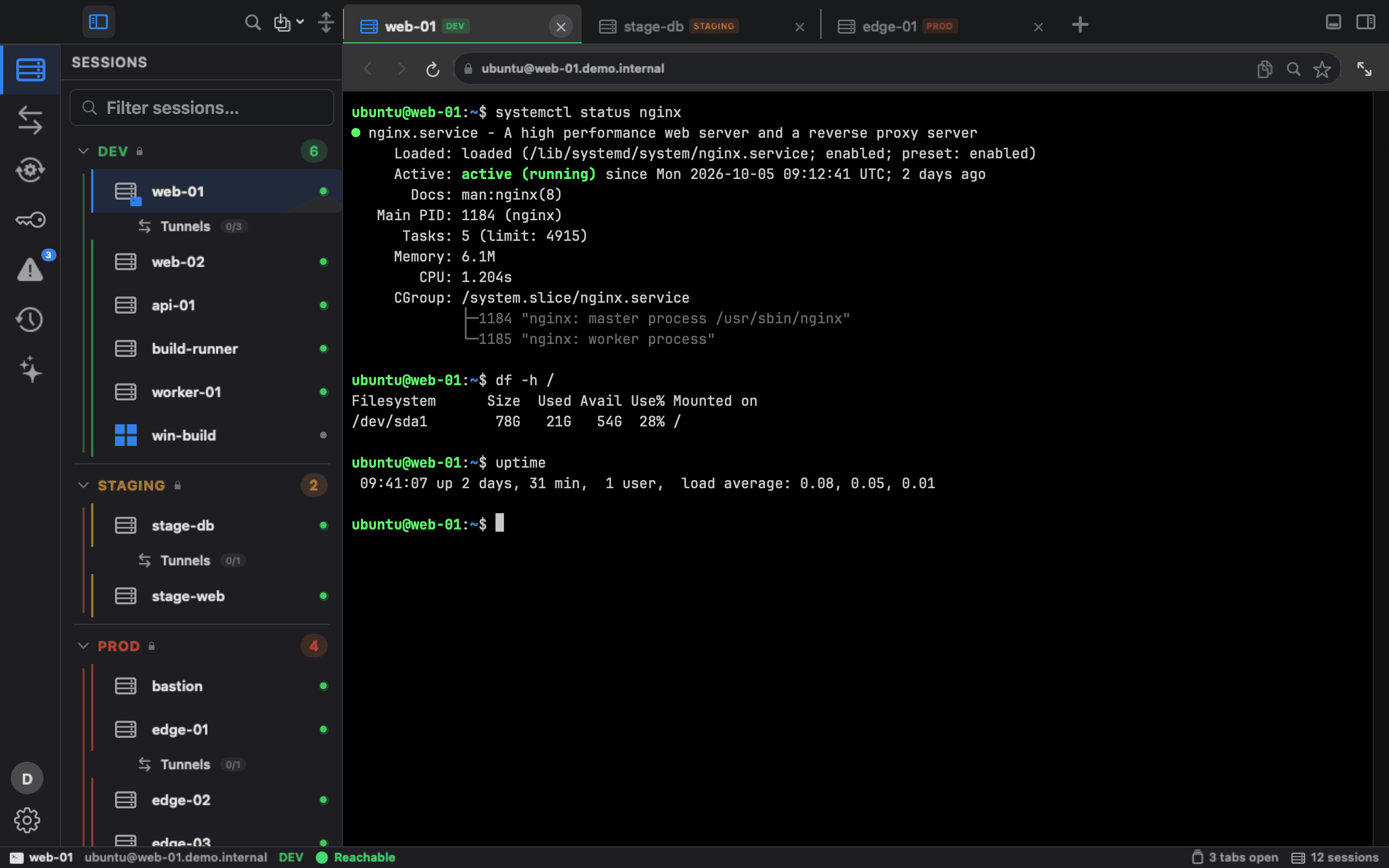
Sessions and terminal · captured from Ark8 1.7 with demo data
What's new
Ark8 1.7 Check before you connect. Know who did what.
- New in 1.7
Test Connection
Check a server, Windows host or web app before you save it. SSH tests offer no key or password until the host key checks out: an unknown or changed key stops the test first. RDP credentials are not tested.
- New in 1.7
Transfer failures explained
When a file transfer fails, Ark8 says what failed, between which hosts and why. For a changed host key it offers the exact fix and asks first on STAGING and PROD.
- New in 1.7
Who did it
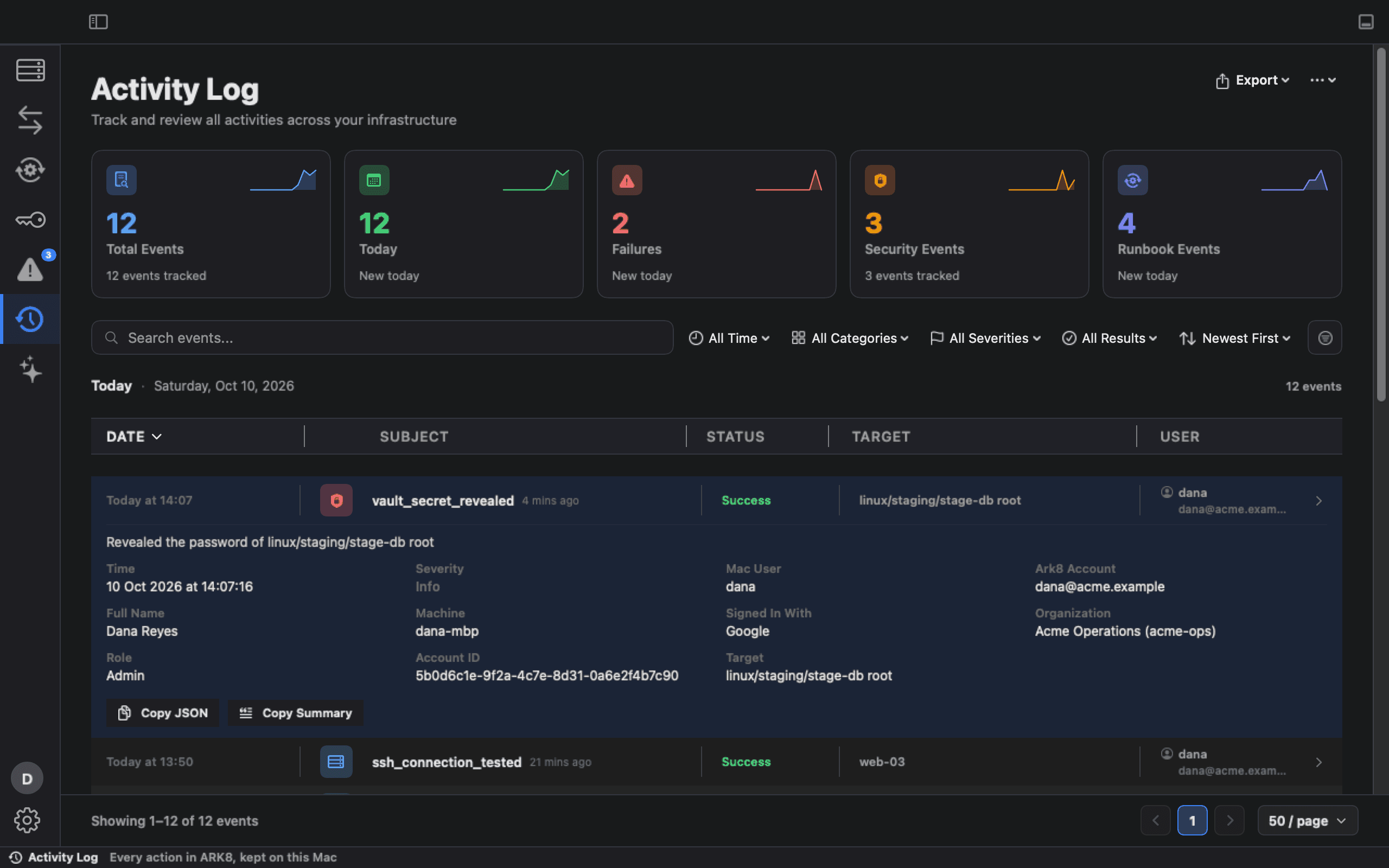
Every new Activity Log event records the signed-in Ark8 account next to the Mac user: email, sign-in method, organization and role. The account, sign-in method and organization also go into exports and to your SIEM.
- New in 1.7
Viewer role and sharing levels
A read-only Viewer role in your organization, and SSH hosts shared with everyone in it or with its admins only. A shared host opens with the environment it was shared with, so a host shared as PROD gets PROD safeguards.
- New in 1.7
Invitations
Admins invite people by email with a role and an expiry from the web admin console. Ark8 emails each person their link, or shows it for you to send when email isn’t available. To join, that person opens the link, signs in on the Ark8 website with the invited, verified email and presses Accept, or Decline. Signing in alone never joins an organization.
- New in 1.7
Vault sign-in with OIDC
Sign in to your HashiCorp Vault through its OIDC method, in your browser; it replaces the stored Vault token. Ark8 keeps the token in memory for at most four hours. Needs: Vault's OIDC auth method and a role for Ark8, set up by your Vault admin.
The problem
Infrastructure shouldn't live in a stack of separate tools.
One application for Linux hosts, another for Windows, a dashboard for the cluster, a tool for tunnels, Terraform and Ansible in a terminal somewhere, and the procedure in a wiki. Each is reasonable on its own. Together they are how the work gets done.
- SSH client
- Kubernetes GUI
- RDP client
- Tunnel tool
- Terminal
- Automation tools
- Runbooks
Your infrastructure stack has a tooling tax.
Every additional tool adds licensing cost, configuration overhead, context switching and operational complexity. Most of it never shows up on an invoice.
Tooling cost
A license or subscription for each client, dashboard and tunnel tool, often per seat.
Context switching
Every jump to another application takes time, and more time to get back into the problem.
Operational overhead
Each tool brings its own configuration, updates, credentials and onboarding.
Engineer time
The most expensive term. Time spent finding the right server or runbook is time not spent on the work.
Every time an engineer…
…there is overhead. Paid once, it is nothing. Paid by every engineer, many times a day, it is a line in the budget nobody wrote down.
- switches to another application
- searches for the right server
- opens another terminal
- hunts for credentials
- sets up a tunnel by hand
- opens a Kubernetes dashboard
- starts an RDP client
- checks which environment this is
- looks for the right runbook
- repeats a procedure by hand
Ark8 keeps each step of the job in the same workspace:
- Target
- Connection
- Context
- Action
- Runbook
- Automation
How it works
Ark8 brings the operational workflow together.
One infrastructure workspace, from finding the machine to confirming the change. Each step starts where the last one left off: the same window, the same target, the same context.
Target
Pick the host, cluster or Windows machine from one inventory, grouped by LOCAL, DEV, STAGING and PROD.
Connect
SSH, RDP, Kubernetes, Docker, file browsers and web UIs open as tabs in the same window, and tunnels run from one list beside them, with your own keys and kubeconfig.
Inspect
CPU, memory, disk, load and top processes over SSH. Workloads, events and logs in the cluster. A tunnel's route, end to end.
Diagnose
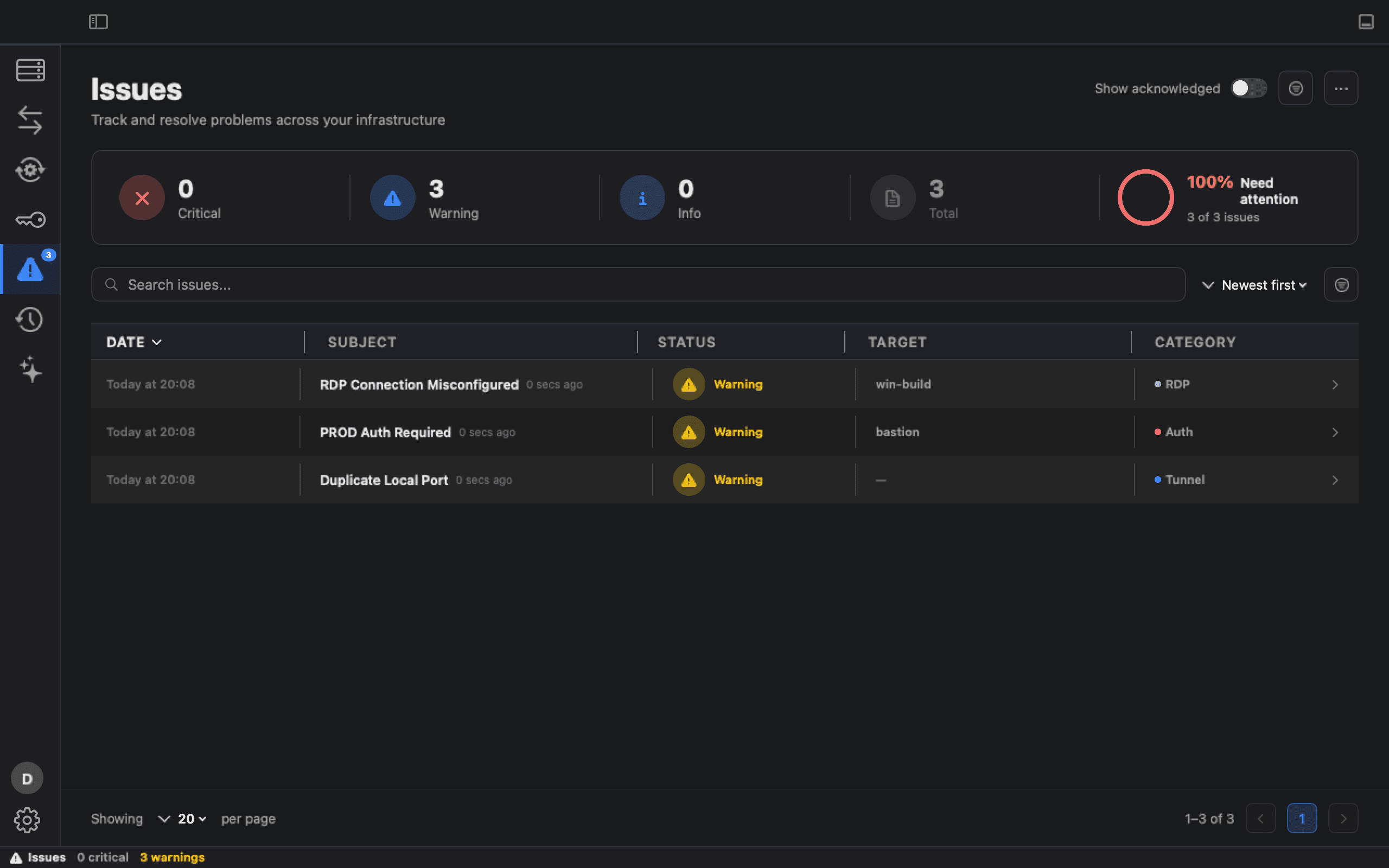
Issues flags what is wrong: crash-looping pods, NotReady nodes, a host short on disk, two tunnels on one port.
Act
Run the command in the terminal. Scale, restart, cordon or drain in the cluster. Start the tunnel the job needs.
Automate
Turn the procedure into a runbook: Terraform creates, Ansible configures, bash either side, and Change Review shows the whole run before it starts.
Verify
Every run's outcome is recorded in History, and the last step can be your own check: a smoke test, a health probe.
Economic value
Less tooling. Less friction. One workspace for the whole job.
One workspace is a cost decision as much as a productivity one: fewer tools to license and maintain, and fewer hours lost moving between them.
Separate tools
- More tools
- More licenses
- More context switching
- More operational overhead
With Ark8
- Fewer workspaces
- Less tooling overhead
- Less context switching
Turn infrastructure tooling into one operational workspace.
Consolidate the tooling
Reduce the number of tools your infrastructure team needs to operate. Hosts, clusters, Windows machines, tunnels and runbooks sit in one workspace.
One place to look
One sidebar grouped by environment, and one search (⌘F) across hosts, clusters, tunnels, runbooks, Kubernetes objects and Shraga chats.
Make recurring work repeatable
A procedure kept as a runbook runs the same way every time, instead of being retyped from a wiki page.
Connect
Hosts, desktops and clusters, one window.
Linux hosts, Windows desktops, clusters, containers and internal web UIs, reached the same way from the same inventory.
SSH
Your own OpenSSH config, keys and ssh-agent, or a password fetched from your HashiCorp Vault when you connect. Ark8 never saves an SSH password. Test Connection checks the address and the host key, and the sign-in when it uses keys or a Vault password, before you save.
Remote desktop
Native RDP: the desktop resizes with your window where the server supports it, and each session chooses whether the clipboard carries text and files, text only, or nothing. Drive sharing is off until you turn it on for a session, and then Windows sees only that session's own folder on your Mac.
Web tabs
Internal web UIs open as Ark8 tabs, from a URL, a tunnel or a Kubernetes port-forward, each site with its own cookies.
Kubernetes
Import a context from your kubeconfig, a file or pasted YAML, one at a time. Clusters sit in the same sidebar as your hosts, grouped by environment.
Containers
Docker engines on this Mac, over SSH, or over TCP with TLS (plain TCP only for DEV engines): start, stop and restart containers, open a shell, follow logs.
Tunnels
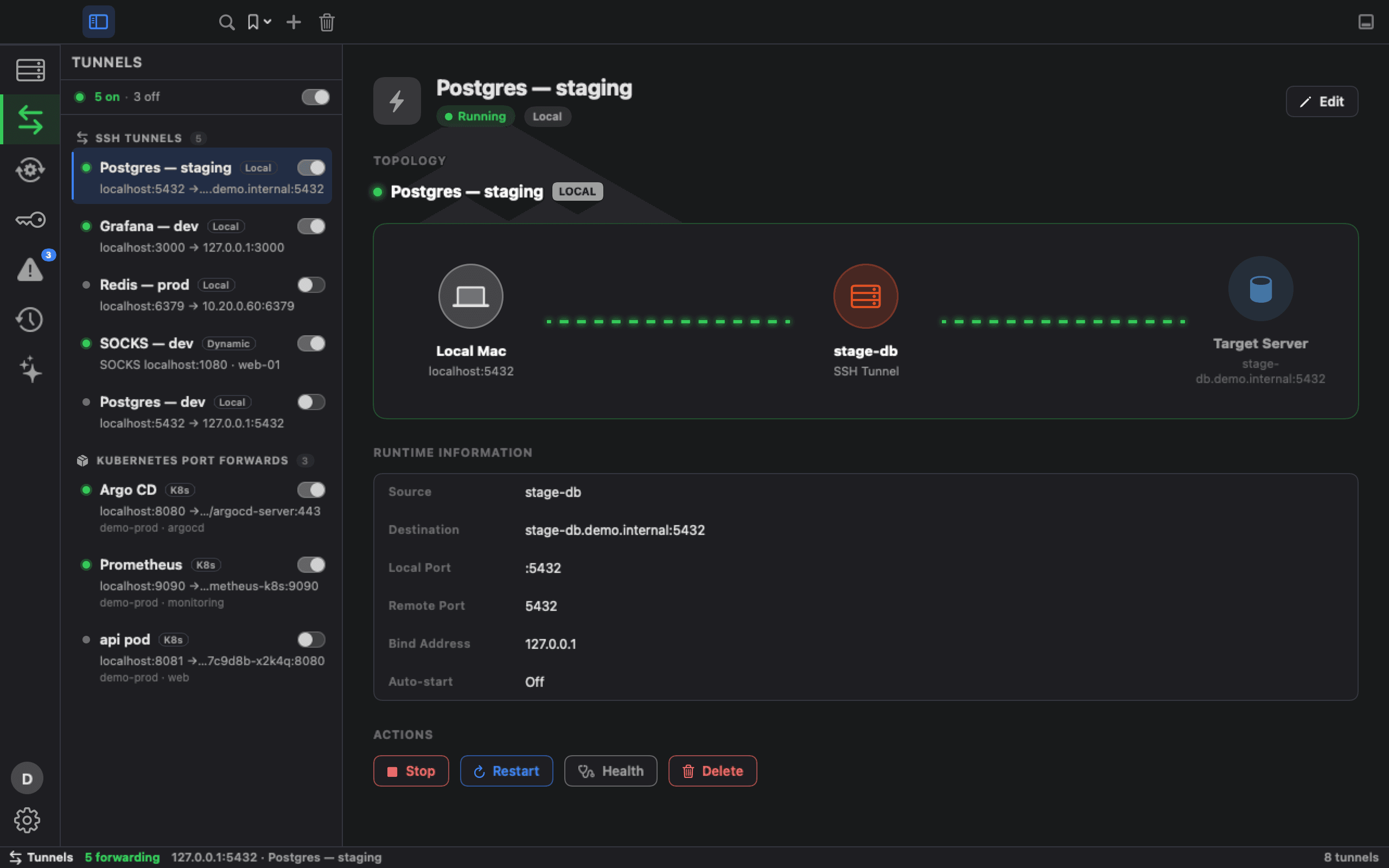
SSH local, remote and dynamic forwards and Kubernetes port-forwards, in one list.
Secrets
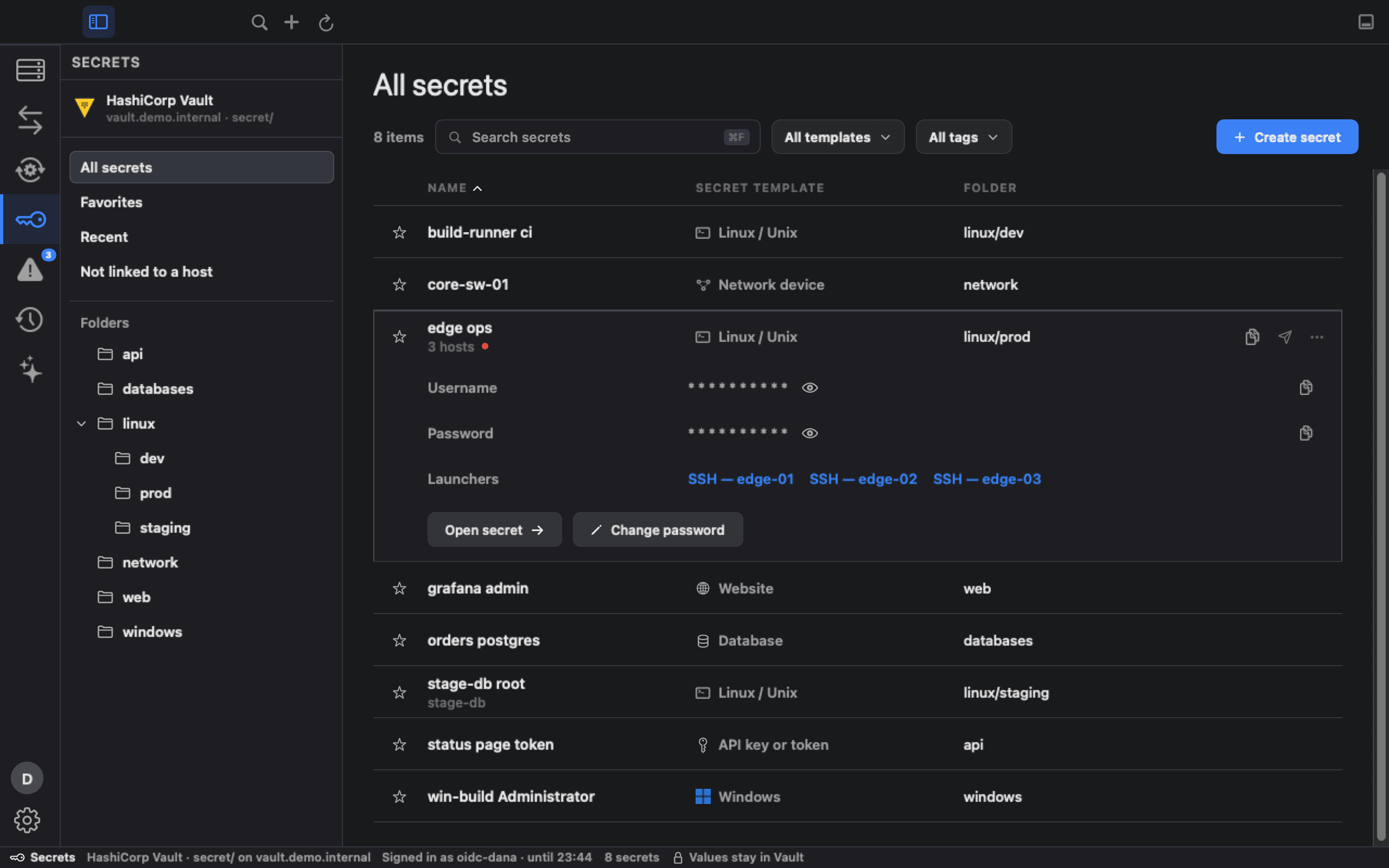
Browse and manage the secrets in your own HashiCorp Vault. Values stay in Vault until you click Show or Copy, and a copied value clears after 30 seconds unless you've copied something else since.
Operate
Don't just connect to a machine. Understand what's happening on it.
The terminal is where the work happens. The context around it is what tells you which work to do.
Terminal
A native terminal per tab, marked with the environment of the host it opened, so a PROD session's shell is never labelled DEV.
The host, beside its terminal
CPU, memory, root disk, NVIDIA GPU, load, uptime and top processes for the machine you are on, in the panel next to it, refreshed every 30 seconds over SSH while the panel is open.
Files
Browse and edit files on your SSH hosts, with sudo when a file needs it, and drag them between servers or down to your Mac. When a transfer fails, Ark8 says why and what to do next.
Logs
Pod logs in the cluster and container logs on Docker engines.
Kubernetes workloads
Pods, deployments and jobs through to CRDs and Helm releases, with their events.
Actions
Scale, restart, cordon, drain or delete in the cluster. Start, stop or restart containers.
Port forwarding
Start the forward the job needs and see the route it takes.
Issues and History
Issues lists what is wrong, and a host's issues also show in the panel beside it. History records what Ark8 opened, changed and ran across every host; it does not record commands typed in a terminal.
Shraga
Ask Shraga, Ark8's AI assistant, about your hosts, tunnels, clusters and Activity Log. It uses your own Anthropic API key, sends nothing until you agree to what it may share, and runs nothing.
Automate
Recurring work, as repeatable runbooks.
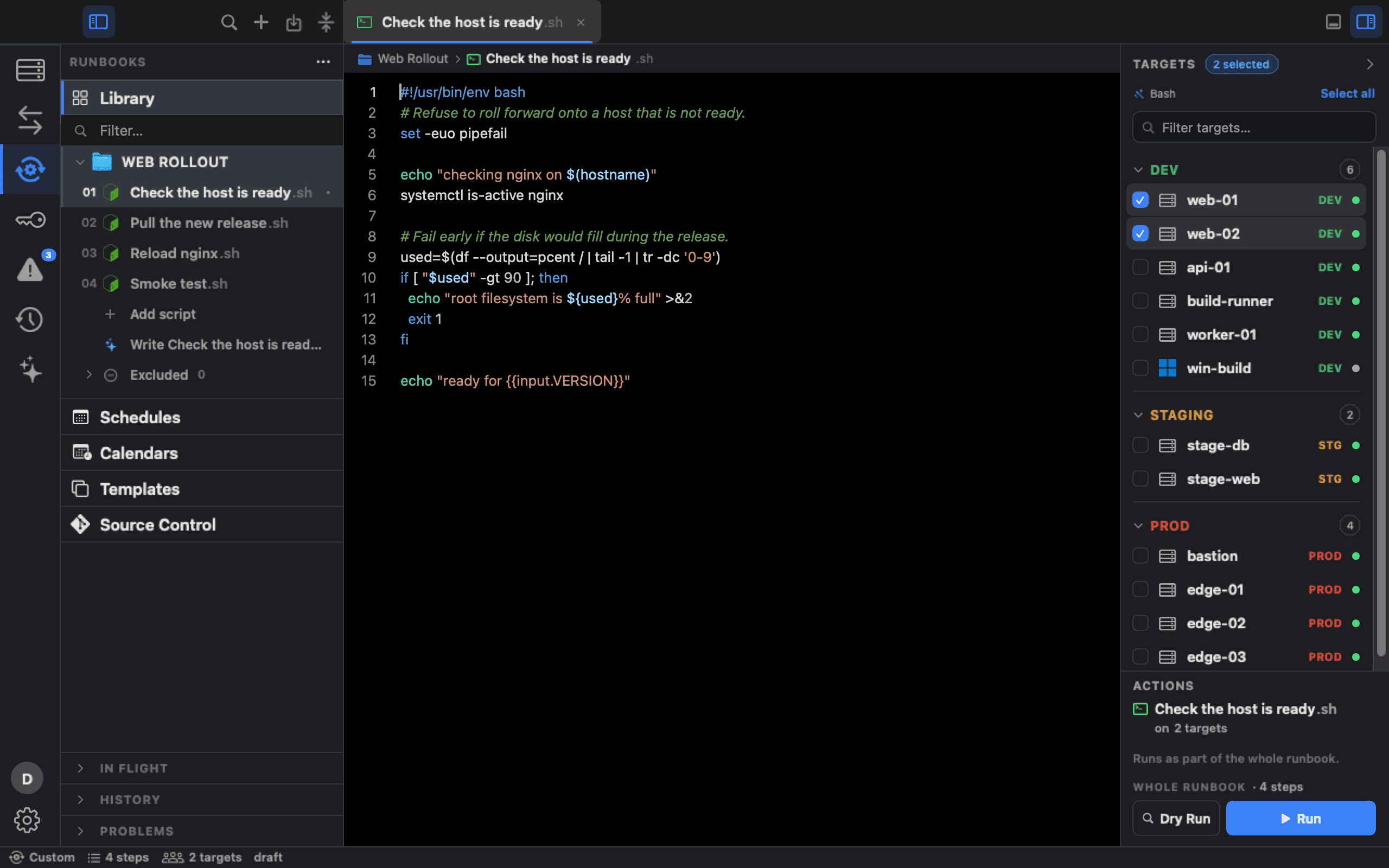
The procedure that lives in a wiki page and someone's memory becomes a runbook: the same steps, on the targets you choose, every time.
- Targets
- Runbook
- Plan
- Apply
- Verify
Bash and PowerShell
Bash steps run in the same SSH terminal you use in Sessions, sudo prompts included. PowerShell runs on Windows over OpenSSH, on Linux and macOS with pwsh, or on this Mac.
Terraform
Init, validate, plan, apply, destroy and output, locally or over SSH on the machine that holds the state.
Plan, then apply
On this Mac, apply uses the plan you saved and refuses one that has gone stale. With no saved plan, or over SSH, it plans and applies in one pass. The Destroy button asks you to type the directory name first, and Change Review flags in red any run that destroys.
Ansible
Playbooks that already sit on an SSH host run there, with the inventory beside them. Ark8 copies no playbook, inventory or secret to the host.
Change Review
What will run, where and in what order, before a whole-runbook run or a Terraform Apply or Destroy. A runbook can be set to ask for approval when it touches environments you choose (PROD is pre-selected). Approval is given in Ark8 on the same Mac, recorded with the run and in the Activity Log under the Mac user's name, and flagged as a self-approval.
Vault secrets
HashiCorp Vault resolves secrets at run time, so none are stored in the runbook. Scheduled and webhook runs need a current Vault sign-in: they fail rather than open a browser.
Verify
Every run's outcome is recorded in History. End the runbook with your own smoke test or health check.
Schedules
Run once, on chosen days, monthly or by cron, in any time zone, while Ark8 is open and the Mac is awake. Maintenance windows and change freezes are respected, production is never scheduled, and a missed run is recorded, not replayed.
Triggers and notifications
A signed webhook can start a run while Ark8 is open, and a run can tell you on this Mac, in Slack or through your own webhook.
Version control
Turn on Source Control and the runbook library becomes a Git repository. Review each change, commit it and push it to GitHub or any Git host with your own Git credentials, without leaving the app.
Run on a GitHub runner
Hand a runbook's Bash, Python and PowerShell steps to a self-hosted runner as a GitHub Actions workflow. Ark8 writes the file, names the secrets to create without sending any, and refuses anything that would not run the same way there.
Security
Credentials stay on your Mac or in your own Vault. Teams get controls they can audit.
Local-first credentials
SSH keys stay where they are on your Mac (Ark8 keeps only the path), imported kubeconfigs in a private copy, and sudo passwords in the Keychain behind Touch ID or your Mac password. Nothing about your infrastructure leaves your Mac unless you turn it on (sharing a host, Shraga, SIEM export, notifications, or pushing runbooks to Git), and passwords and keys are never sent to Ark8.
Production safeguards
Touch ID or your Mac password before a PROD shell, file browser, RDP session, tunnel or runbook run (on by default), and typed confirmations before deleting or moving STAGING and PROD hosts, or uploading and deleting their files.
Sign-in
Sign in with a Google or Microsoft account, with PKCE. No client secret in the app.
Organization roles
Owner, Admin, Member and Viewer, enforced by the database for your organization's data and applied by Ark8 to shared hosts. A Viewer is read-only in the organization.
Audit
An Activity Log on every Mac that records which Ark8 account did what, exportable to your SIEM over syslog, and an append-only audit log for the organization.
Tenant isolation
Row-level security per organization, covered by isolation tests.
Who it's for
If your day moves between hosts, clusters and runbooks, Ark8 is for you.
DevOps
Terraform and Ansible runbooks next to the hosts they run on.
SRE
From “something is wrong” to the host, the pod and the fix, in one window.
Infrastructure
Linux, Windows and Kubernetes estates grouped by environment, with PROD marked everywhere.
Platform
Share SSH hosts with everyone in your organization or only its admins: name, address, port, user, notes and tags. Passwords, keys and kubeconfigs are never shared.
SysAdmin
SSH, RDP, file transfer and host metrics without a stack of separate clients.
Engineering teams
Everyone signs in with Google or Microsoft. Create your organization on this website; roles, invitations and an audit log come with it.
Pricing and cost
Free during the preview. Priced honestly after it.
Today
Free
The full macOS app, for individuals and teams. Create an organization, with roles, sharing and audit, on this website. Paid Team and Enterprise plans are planned and not priced yet; what you use today stays yours.
Pricing detailsThe value case
If Ark8 replaces even a small amount of tooling and saves engineers time, the economic value can exceed the software cost.
Whether it does depends on the tools your team runs today and the time lost moving between them.
Stop switching between infrastructure tools. Start operating from one workspace.
macOS 14 or later · Apple Silicon and Intel · Signed and notarized